Friday, February 9, 2018

Diffie Hellman Group Selection in IKEv2

  • Because the initiator sends its KEi value in the IKE_SA_INIT, it must guess the DH group that the responder will select from its list of supported groups.  If the initiator guesses wrong, the responder will respond with a Notify payload of type INVALID_KE_PAYLOAD indicating the selected group.  In this case, the initiator MUST retry the IKE_SA_INIT with the corrected DH group.

*Feb  7 16:17:56.924: IKEv2:(SESSION ID = 1,SA ID = 1):[IKEv2 -> Crypto Engine] Computing DH public key, DH Group 14
*Feb  7 16:17:56.924: IKEv2:(SA ID = 1):[Crypto Engine -> IKEv2] DH key Computation PASSED
*Feb  7 16:17:56.925: IKEv2:(SESSION ID = 1,SA ID = 1):Request queued for computation of DH key
*Feb  7 16:17:56.926: IKEv2:IKEv2 initiator - no config data to send in IKE_SA_INIT exch
*Feb  7 16:17:56.926: IKEv2:(SESSION ID = 1,SA ID = 1):Generating IKE_SA_INIT message
*Feb  7 16:17:56.927: IKEv2:(SESSION ID = 1,SA ID = 1):IKE Proposal: 1, SPI size: 0 (initial negotiation),
Num. transforms: 11
   AES-CBC   AES-CBC   SHA256   SHA384   SHA256   SHA384   DH_GROUP_2048_MODP/Group 14   DH_GROUP_256_ECP/Group 19   DH_GROUP_1536_MODP/Group 5   DH_GROUP_4096_MODP/Group 16   DH_GROUP_3072_MODP/Group 15

*Feb  7 16:17:56.931: IKEv2:(SESSION ID = 1,SA ID = 1):Sending Packet [To 10.150.2.1:500/From 10.150.1.1:500/VRF i0:f0]
Initiator SPI : 97211F401E241BD2 - Responder SPI : 0000000000000000 Message id: 0
IKEv2 IKE_SA_INIT Exchange REQUEST
Payload contents:
 SA KE N VID VID NOTIFY(NAT_DETECTION_SOURCE_IP) NOTIFY(NAT_DETECTION_DESTINATION_IP)

*Feb  7 16:17:56.937: IKEv2:(SESSION ID = 1,SA ID = 1):Insert SA

*Feb  7 16:17:56.950: IKEv2:(SESSION ID = 1,SA ID = 1):Received Packet [From 10.150.2.1:500/To 10.150.1.1:500/VRF i0:f0]
Initiator SPI : 97211F401E241BD2 - Responder SPI : 0000000000000000 Message id: 0
IKEv2 IKE_SA_INIT Exchange RESPONSE
Payload contents:
 NOTIFY(INVALID_KE_PAYLOAD)

*Feb  7 16:17:56.952: IKEv2:(SESSION ID = 1,SA ID = 1):Processing IKE_SA_INIT message
*Feb  7 16:17:56.952: IKEv2:(SESSION ID = 1,SA ID = 1):Processing invalid ke notification, we sent group 14, peer prefers group 5
*Feb  7 16:17:56.953: IKEv2-ERROR:(SESSION ID = 1,SA ID = 1):
*Feb  7 16:17:56.953: IKEv2:(SESSION ID = 1,SA ID = 1):[IKEv2 -> Crypto Engine] Computing DH public key, DH Group 5
*Feb  7 16:17:56.954: IKEv2:(SA ID = 1):[Crypto Engine -> IKEv2] DH key Computation PASSED
*Feb  7 16:17:56.954: IKEv2:(SESSION ID = 1,SA ID = 1):Request queued for computation of DH key
*Feb  7 16:17:56.955: IKEv2:IKEv2 initiator - no config data to send in IKE_SA_INIT exch

*Feb  7 16:17:56.956: IKEv2:(SESSION ID = 1,SA ID = 1):Generating IKE_SA_INIT message

PFS in IKEv2

  • Unlike IKEv1, the Perfect Forwarding Secrecy (PFS) Diffie-Hellman (DH) group value displays as 'PFS (Y/N): N, DH group: none' during the first tunnel negotiation.
  • After a rekey occurs, the correct values appear. This is not a bug even though the behavior is described in Cisco bug ID CSCug67056.
  • The reason that IKE_AUTH messages do not contain KEi/KEr or Ni/Nr payloads. Thus, the SA payloads in the IKE_AUTH exchange cannot contain PFS DH group other than NONE.
  • The CREATE_CHILD_SA request used in rekeying MAY optionally contain a KE payload for an PFS DH exchange

For rekeying IKE_SA, the structure of CREATE_CHILD_SA is

   Initiator                                                 Responder
   -------------------------------------------------------------------
   HDR, SK {SA, Ni, KEi} -->
                          <-- hdr="" ker="" nbsp="" nr="" p="" sk="">

For rekeying CHILD_SA, the structure of CREATE_CHILD_SA is

   Initiator                                                 Responder
   -------------------------------------------------------------------
   HDR, SK {N(REKEY_SA), SA, Ni, [KEi,]
       TSi, TSr}   -->


                                          <-- br="" hdr="" nbsp="" nr="" r="" sk="">                                                           TSi, TSr}

IKEv1 vs. IKEv2

  • IKEv1 and v2 aren't interoperable
  • Fragmentation
    • In IKEv1, large packets are encrypted then segmented. The segments are encapsulated in UDP packets
    • In IKEv2, large packets are segmented then segments are encrypted.
  • Delete Notification
    • In IKEv1, delete notifications aren't acknowledged. Once delete is sent, SA will be deleted from local SAD
    • In IKEv2, delete notifications are acknowledged. The initiator will wait for ACK or re-Xmit timeout before deleting SA from SAD
      • This is resolved if DPD is used


Wednesday, December 20, 2017

Cisco ISE: REST API with Python - Get Internal Users

I am currently building python scripts to automate Cisco ISE configuration.

Going through ISE documentation, I am exploring some errors in the python examples which won't work for ISE 2.3. I will be posting the corrections while I am exploring them. 

The first one was in "get-all-internal-users.py" example. 

ISE 2.3 doesn't support TLS 1.0 by default. Instead it supports TLS 1.2. 

The default script:

#!/usr/bin/env python

###########################################################################
#                                                                         #
# This script demonstrates how to use the ISE ERS internal users          #
# API  by executing a Python script.                                      #
#                                                                         #
# SECURITY WARNING - DO NOT USE THIS SCRIPT IN PRODUCTION!                #
# The script allows connections to SSL sites without trusting             #
# the server certificates.                                                #
# For production, it is required to add certificate check.                #
#                                                                         #
# Usage: get-all-internal-users.py    #
###########################################################################

import http.client
import base64
import ssl
import sys

# host and authentication credentials
host = sys.argv[1] # "10.20.30.40"
user = sys.argv[2] # "ersad"
password = sys.argv[3] # "Password1"


conn = http.client.HTTPSConnection("{}:9060".format(host), context=ssl.SSLContext(ssl.PROTOCOL_TLSv1))

creds = str.encode(':'.join((user, password)))
encodedAuth = bytes.decode(base64.b64encode(creds))
.........

This won't work due to SSL version mismatch

The correct version is:

###########################################################################
#                                                                         #
# This script demonstrates how to use the ISE ERS internal users          #
# API  by executing a Python script.                                      #
#                                                                         #
# SECURITY WARNING - DO NOT USE THIS SCRIPT IN PRODUCTION!                #
# The script allows connections to SSL sites without trusting             #
# the server certificates.                                                #
# For production, it is required to add certificate check.                #
#                                                                         #
# Usage: get-all-internal-users.py    #
#                                                                         #
# The script should be modified to use SSL TLS v1.2 instead of TLS v1.0   #
# This is required for ISE 2.3                                            #
###########################################################################

import http.client
import base64
import ssl
import sys

# host and authentication credentials
host = sys.argv[1] # "10.20.30.40"
user = sys.argv[2] # "ersad"
password = sys.argv[3] # "Password1"


conn = http.client.HTTPSConnection("{}:9060".format(host), context=ssl.SSLContext(ssl.PROTOCOL_TLSv1_2))

creds = str.encode(':'.join((user, password)))
encodedAuth = bytes.decode(base64.b64encode(creds))
.......


Monday, December 18, 2017

Have you tried to use PyCrypto in Python 3.x?

I had a requirement to use PyCrypto and was running Python 3.6.2. In summary it won't work. If you want to continue with Python 3.6.2, you need to use PyCryptodome.

Otherwise, downgrade to Python 3.5.2 with the follow requirements:

1. Before installation of pycrypto (pip install pycrypto) make sure that you install Microsoft Visual C++ Build Tools (2015)

2. After installation of pycrypto Navigate to Python installation folder (in my case its C:\Program Files (x86)\Python35-32\)

3. Find and edit the script C:\Program Files (x86)\Python35-32\Lib\site-packages\Crypto\Random\OSRNG\nt.py

4. Replace the line (import winrandom) with (from . import winrandom)

Python Script to Read XML Files

Typical use of this when you have M2M interaction and you receive data in XML format where the receiver should react accordingly.

Here is a sample XML file:
************************


Python Code
************************

def get_client_settings (element):
 
    # This function gets client details from XML file
 
    ip_attrib = element.get('ip')
    username_attrib = element.get('username')
    password_attrib = element.get('password')
    email_attrib = element.get ('mail')
         
    for alert in element.findall('alert'):
        if alert.get('type').lower() == 'memory':
            mem_alert = float(alert.get('limit').replace('%',''))
        if alert.get('type').lower() == 'cpu':
            cpu_alert = float(alert.get('limit').replace('%',''))
           
    return (ip_attrib, username_attrib, password_attrib, email_attrib, mem_alert, cpu_alert)

for element in root_element.findall('client'):

    print ('\nGetting user details')
    ip, username, password, email, mem_limit, cpu_limit = get_client_settings (element)

Wednesday, December 6, 2017

ISE Authorization Methods - Basic


  • ISE authorization rules processing order
    • Takes place only after successful authentication
    • Match condition (identity store type, profiling, etc)
    • Assign authorization profile
    • By default scans sequentially but can be changed to Multiple Matched Rules applied
      • Typical use case when you create rule per role (e.g. AD_DACL, NETWORK_DACL, SERVERS_DACL, etc)
      • In this case, network engineer can get AD_DACL and NETWORK_DACL
      • Another option is to configure one DACL for network users, another DACL for server users, etc
  • Its independent from authentication type (MAB, Dot1x or CWA)
  • Authorization options
    • VLAN Assignment
      • You can assign Data VLAN and/or allow Voice VLAN access
      • Data VLAN
        • It will override the locally configured VLAN on the switch port
        • VLAN is provided to NAD using VSA Tunnel-Private-Group-ID
        • If no dVLAN is configured, static switchport vlan will be used
      • Voice VLAN
        • It will grant IP Phones access to connect to the network using the configured voice vlan (no new vlan assignment)
        • You need to enable 'Voice Domain Permission' under the authorization policy
          • ISE will include the VSA 'cisco-av-pair: device-traffic-class=voice' in ACCESS-ACCEPT to indicate that this is the voice vlan
    • ACL
      • dACL
        • This is Cisco proprietary because it uses Cisco-specific Radius attributes
        • ACL is configured in ISE and pushed to the switch
      • Filter-ID ACL
        • This is IETF standard
        • The ACL is configured on the switch
        • ISE will provide the switch with ACL name to be applied to the port
      • Per-User ACL
        • This is Cisco proprietary
        • ACL can be configured on ISE and pushed to the switch
        • ACL can be configured on the switch and ISE will provide the name to the switch
    • IP Address
      • ISE can provide IP address to endpoints part of the authorization process using VSA Framed-IP
      • Similarly, ISE can provide session time to NAD using Session-Timeout
  • Navigate to Administration > System > Deployment > General Settings > Policy Service > Enable Session Services for ISE to handle access-requests and perform authentication/authorization

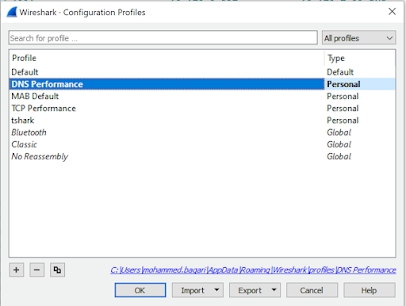
DNS Performance Troubleshooting

When you are troubleshooting internet performance, there are different parts of the connection should be verified:   ·         DNS Pe...