Sunday, October 23, 2016

How CUCM Allocates Bandwidth for Video Stream?


The bandwidth attribute is presented in SDP body as b=:. This specifies the maximum amount of receive bandwidth supported by the endpoint.

The bandwidth attribute can be present in the session section and/or media section of the SDP body.


There are three types of Bandwidth Modifiers which can be present in the bandwidth header inside the SDP body:

  • Transport Independent Application Specific (TIAS) in bps: Bandwidth does NOT include the lower layers (e.g. RTP bandwidth only)
  • Application Specific (AS) in kbps: Bandwidth includes the lower layers (e.g. TCP/UDP and IP)
  • Conference Total (CT):  Max Bandwidth that a Conference Session will use

Example:

o=CiscoSystemsCCM-SIP 161095 1 IN IP4 10.58.9.6
s=SIP Call
b=TIAS:6000000                                    Transport Independent Application Specific bandwidth (RTP) in bits/sec
b=AS:6000                                         Application Specific bandwidth (RTP/UDP/IP) in kbps
t=0 0
m=audio 16444 RTP/AVP 102 103 104 9 105 106 0 8 101
b=TIAS:64000
… attributes of multiple audio codecs in the offer
m=video 16446 RTP/AVP 98 99
b=TIAS:6000000

For this endpoint – the maximum media stream bandwidths that can be received :

= 6 Mbps for all voice and video streams including UDP and IP headers (AS session bandwidth)
= 64kbps for voice RTP traffic – not including UDP and IP headers (TIAS audio)
= 6 Mbps for video RTP traffic – not including UDP and IP headers (TIAS video)

CUCM uses the following logic to communicate bandwidth modifiers to endpoints:

  • When generating an Early Offer or Re-Invite, CUCM uses the session modifier(s) type based on the configuration of the SIP Profile > SDP Session-Level Modifier for Early Invite and Re-invites (TIAS, AS, both)
  • When generating an Answer, CUCM uses the same session modifier(s) type received in the initial offer
  • When generating an Answer, Early Offer or Re-invite, CUCM uses the same bandwidth value for all session modifiers types

CUCM will use the following rules to select the video bandwidth to be used during the call and communicated to endpoints in bandwidth modifiers:

  • When CUCM receives an Offer or Answer from an endpoint, it checks whether there is a session level bandwidth modifier in the SDP:
    • If there is a session level bandwidth modifier, CUCM retrieves the bandwidth value from the modifier. If there is more than one modifier type, it retrieves the modifier in the following order of preference: Transport Independent Application Specific (TIAS), Application Specific (AS), Conference Total (CT).
    • If there is no session level bandwidth modifier, CUCM retrieves the bandwidth value from the sum of the media level bandwidth modifiers (e.g audio + video + bfcp video + fecc video).
  • The allocated bandwidth is the maximum of what the two endpoints support. If the maximum bandwidth is higher than Region Bandwidth, CUCM will replace the advertised value to the endpoints with the value in the region and the allocated bandwidth will be the region bandwidth. If the maximum advertised bandwidth is lower than region bandwidth, CUCM will use the maximum advertised bandwidth.
  • The selected bandwidth (whether region based or endpoint based) will be evaluated against E-LCAC. If the bandwidth (audio + video) is available, it will be deducted from the location and the call will proceed.  Else, the call will be dropped, retried as audio or AAR depending on the configuration

In CME, bandwidth modifier can be changed using the command 'voice-class sip bandwidth video tias-modifier bandwidth value [ negotiate end-to-end]'

Cisco Extend and Connect

This feature isn't supported with Expressway MRA deployment

  • Extend and Connect vs. Single Number Reach
    • Same: Both of these features extend incoming calls to user's remote devices
    • Different:
      • SNR use Remote Destination Profile (RDP) to configure remote destinations. Extend and Connect use CTI Devices to configure remote destinations
      • Extend and Connect utilize Jabber client to control remote device (using CTI) and invoke features such as hold, transfer, conference, etc. SNR uses Enterprise Feature Access Codes to invoke features
      • In Extend and Connect, users can configure their own remote destinations using jabber client. Remote destinations can be configured by admins as well. In SNR, remote destinations can be configured by admins only
      • For outgoing calls, Extend and Connect will use Dial Via Office - Reverse (DVO-R) to dial remote devices and destination numbers then hairpin both call legs on the gateway. SNR will use Mobile Voice Access (MVA) feature for remote device to dial enterprise MVA number then initiate outgoing calls after successful authentication
  • Call Flow
    • Inbound Calls
      • Received incoming call @ jabber extension
      • All shared DNs will ring for incoming call
      • UCM will dial remote destination define by user using jabber client or admin
      • If user answers the call on jabber client, all mid-call features will be available including transfer, hold, conference.
    • Outbound Calls
      • User initiates outbound call using jabber client
      • UCM will dial remote destination using DVO-R
      • User will answer the call and will be redirected to called party.
      • Call will be hairpinned on the gateway
      • Calling Party ID displayed on called party and remote destination will be jabber DN (with digit manipulation applied)
  • Configuration
    • Add End User (local or LDAP)
      • Enable Mobility for End User
      • Assign Standard CCM End User and Standard CTI Enabled permissions
    • Add new phone
      • Select type CTI Remote Device
      • Select the desired Owner User ID (Device name populated automatically)
      • Assign Rerouting Calling Search Space which will be used to for receiving and placing calls to remote destination
      • Assign DN to the phone. This should be same as Jabber extensions
    • Assign CTI Remote Device and Jabber Client to End User
    • Set the Primary Extension on the End User
    • Optionally, you can create Remote Destination Device and assign it CTI Remote Device
      • Remote Destination Device name should be JabberRD to be used with Jabber Client
      • By default, Jabber Client can't add Remote Destination. Set UserDefinedRemoteDestinations in jabber-config.xml to True for users to be able to add remote devices

Wednesday, July 27, 2016

Global Dial Plan Replication - Notes


Concepts
  • In CUCM v10, new attributes were introduced to DN which are Enterprise Alternate Number and +E164 Alternate Number.
    • Each DN can be represented with 3 numbers
    • For example, the DN can be 3459, Enterprise Alternate DN 3103459, +E164 Alternate DN +97145673459 or 045673459
    • By default Enterprise Alternate Number and +E164 Alternate Number aren't reachable locally within the cluster
      • This can be enabled by checking 'Add to Local Route Partition' under DN configuration
      • Assign the PT to phones CSS
    • You can assign Enterprise Alternate Number or +E164 Alternate Number as PSTN failover
      • PSTN failover will be used when the destination SIP trunk isn't reachable
      • This PSTN failover is applicable for called Enterprise Alternate Number, called +E164 Alternate Number or called Directory URI
      • CUCM will try to dial the PSTN failover number
      • Calling Phone AAR CSS will be used to reach the PSTN Failover
  • GDPR and ILS and two independent components
    • ILS network will be established between ILS enabled clusters to exchange route strings
    • GDPR will advertise GDPR data over ILS enabled network
    • GDPR data can be
      • Local Directory URIs
      • Local Enterprise Alternate Numbers
      • Local +E164 Alternate Numbers
      • Local Enterprise Alternate Patterns
      • Local +E164 Alternate Patterns
      • Imported Alternate Numbers, Alternate Patterns and URIs
      • Learned Numbers, Patterns and URIs
      • PSTN Failover
    • Actual Call Routing is based on SIP Patterns of Route Strings pointing to SIP Trunks
  • Instead of advertising large number of Alternate Numbers, you can create Alternate Pattern to be advertised
    • You can create Enterprise Alternate Pattern and +E164 Alternate Pattern
    • These patterns can't be used for local dialing
    • For Pattern PSTN failover, there are 3 options:
      • No PSTN Failover, i.e. if SIP trunk isn't reachable, call will fail
      • Use Pattern as PSTN Failover Number - This will use the same pattern as PSTN failover
      • Apply Strip Digits and Prepend Digits to Pattern and Use for PSTN Failover
  • You must assign learnt numbers/patterns to partitions
    • GDPR patterns can't be left in None partition
    • The default partitions created are
      • Global Learned E164 Numbers - This will be assigned to Learnt +E164 Alternate Numbers
      • Global Learned E164 Patterns - This will be assigned to Learnt +E164 Alternate Patterns
      • Global Learned Enterprise Numbers - This will be assigned to Learnt Enterprise Alternate Numbers
      • Global Learned Enterprise Patterns - This will be assigned to Learnt Enterprise Alternate Patterns
    • These partitions should be included in phones CSSes to be able to dial remote cluster numbers
    • In case of overlap between Alternate Number and Pattern, Longest match is applied
  • If you are using CUBE within ILS network, you need to enable Send ILS Learned Destination Route String
    • When enabled, CUCM can tag the route string in the SIP header x-cisco-dest-route-string
    • CUBE can use the voice-class route route-tag feature to route using route-tag

Configuration

  1. Activate Inter-cluster Lookup Service
  2. Navigate to Enterprise Parameters
    1. Configure unique cluster name for each ILS cluster
    2. Configure Cluster Fully Qualified Domain Name
    3. Configure Organization Top Level Domain
  3. Navigate to Advanced Features > ILS Configuration
    1.  Select Cluster Role
    2. Configure Route String
    3. Configure Synchronization Timer
    4. Enable Advertise Global Dial Plan Replication Data to Remote Clusters
    5. Configure ILS Authentication (TLS or Password)
  4. Navigate to Phone DN
    1. Under Enterprise Alternate Number
      1. Configure Number Mask - The Alternate Number will be generated based on DN and Mask
      2. Enable Advertise Globally via ILS
      3. Enable Add to Local Partition and select the partition - This can make the Alternate number reachable locally within the cluster
    2. Under +E164 Alternate Number
      1. Configure Number Mask - The Alternate Number will be generated based on DN and Mask
      2. Enable Advertise Globally via ILS
      3. Enable Add to Local Partition and select the partition - This can make the Alternate number reachable locally within the cluster
    3. Configure Directory URI (this is covered in separate section)
    4. Under PSTN Failover for Enterprise Alternate Number, +E.164 Alternate Number, and URI Dialing assign +E164 or Enterprise Alternate Number as PSTN failover
  5. Navigate to Call Routing > Global Dial Plan Replication > Advertised Pattern > Add New
    1. Configure Pattern
    2. Select Pattern Type (Enterprise Alternate or +E164 Alternate)
    3. Configure PSTN Failover Policy
  6. Navigate to Call Routing > Global Dial Plan Replication > Partitions for Learned Numbers and Patterns
    1. Select the Partition for each GDPR Data Type
    2. You can mark GDPR Data as Urgent Priority
  7. Navigate to Call Routing > Global Dial Plan Replication > Blocked Learned Patterns (this will define numbers/patterns not to be installed in database)
  8. You can view Learnt Numbers and Patterns from Call Routing > Global Dial Plan Replication tab
  9. If you ILS SIP Trunks are pointing to CUBE, configure SIP Profile with Send ILS Learned Destination Route String enabled

Tuesday, July 26, 2016

SIP Call Routing


When CUCM receives SIP INVITE message this is how it's being handled


*** LHS stands for Left Hand Side of SIP URI while RHS stands for Right Hand Side of SIP URI

Important Note: The Enterprise Parameter 'URI Lookup Policy' is set to case sensitive by default. This means that when CUCM receives INVITE message, it will make sure that the called alpha-URI matches with uppercase/lowercase. If this parameter changes, CUCM won't care about uppercase/lowercase.

Assume that the cluster has two Directory URIs, carlo@gmail.com which is local & Carlo@gmail.com which is remote. By default when the caller dials Carlo@gmail.com, CUCM will forward the call to remote cluster ignoring local directory URI due to case sensitive (assuming the SIP route pattern exists for route-string).

It's important to configure the following:

  1. Cluster FQDN (CFQDN) Enterprise Parameter - This can be the FQDN of single node in the cluster or multiple nodes in the cluster separated by spaces. It can be a wildcard as well such as *.cisco.com
  2. Top Level Organization Domain (TLOD) Enterprise Parameter - Single domain such as cisco.com
  3. Enable "Use Fully Qualified Domain Name in SIP Requests" in the SIP Profile of all SIP trunks. When it will be used?
    1. When LHS is numeric, the RHS of To header is always overwritten by the trunk destination (fixed in version 10 by making To header matching Req-URI) - You  need this setting
    2. If the call is routed based on numeric LHS, the RHS of Req-URI header will be overwritten by trunk destination - You need this setting. If the call is routed by matching RHS against SIP Route Pattern, RHS of Req-URI is preserved.

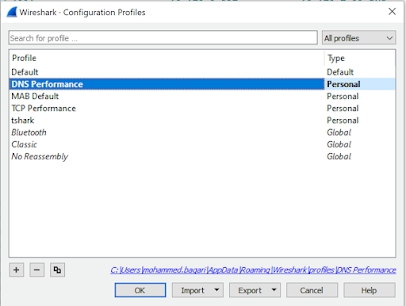
DNS Performance Troubleshooting

When you are troubleshooting internet performance, there are different parts of the connection should be verified:   ·         DNS Pe...